
In today’s Admin Tips tutorial, we’ll explore the xargs program.
xargs is a tool that searches for files matching specified criteria and performs various actions on the files found.
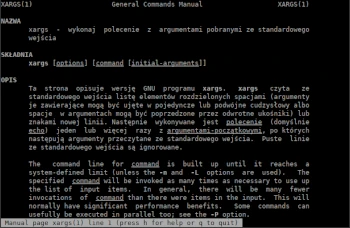
xargs reads a list of items from standard input, separated by spaces (arguments containing them can be enclosed in single or double quotes, or spaces in the arguments can be preceded by backslashes) or newlines. The command (echo by default) is then executed one or more times with the initial arguments, followed by the arguments read from standard input. Blank lines from standard input are ignored.
Options
Mandatory and optional arguments for long options are also mandatory and optional for the corresponding short options.
-0, –null : items separated by NULL instead of spaces; disables processing of quotes, backslashes, and logical EOFs
-a, –arg-file=FILE : read arguments from FILE instead of standard input
-d, –delimiter=CHAR : input items separated by CHAR instead of whitespace; disables processing of quotes, backslashes, and logical EOFs
-E END : logical EOF string; if END occurs as an input line, the rest of the input is ignored (indifferent with -0 or -d)
-e, –eof[=END] : equivalent to -E END if END is specified; otherwise, no end-of-file string is present
-I R : same as –replace=R
-i, –replace[=R] : replace R with INITIAL-ARGS with the name read from standard input, split on a new line
-L, –max-lines=MAX : use at most MAX non-empty lines of input for the command line
-l[MAX] : similar to -L, but defaults to at most one non-empty line if MAX is not specified
-n, –max-args=MAX : use at most MAX arguments for the command line
-o, –open-tty : reopen as /dev/tty in a subprocess before running the command
-P, –max-procs=MAX : run at most MAX processes simultaneously
-p, –interactive : query before running commands
–process-slot-var=ZM : set an environment variable in child processes
-r, –no-run-if-empty : do not run the command if there are no arguments; Without this option, COMMAND will be run at least once.
-s, –max-chars=MAX : Limit commands to at most MAX characters
–show-limits : Display command line length limits
-t, –verbose : Print commands before running them
xargs is part of the findutils package.
Syntax
xargs [OPTION] COMMAND [INIT-ARGUMENTS]
COMMAND | xargs COMMAND2
Examples
If you have multiple files in the directory DIR1, one of them, FILE1, needs to be removed.
The ‘ls’ command will display the contents of the entire directory. Removal can be accomplished with:
ls | grep FILE1 | xargs rm
How to find all .png images and archive them using tar.
find Images/wyjazd2021/ -name “*.png” -type f -print0 | xargs -0 tar -cvzf trip2021.tar.gz
To generate a list of all user accounts on a Linux system, use the following command:
cut -d: -f1 < /etc/passwd | sort | xargs
If you have a list of files and want to know the number of lines/words/characters in each file in the list, in the directory DIR1.
ls *DIR1* | xargs wc
xargs also allows you to find and recursively remove a directory. For example, the following command will recursively remove SUBDIR1 from the Downloads directory.
find Downloads -name “SUBDIR1” -type d -print0 | xargs -0 /bin/rm -v -rf “{}”
For more information about xargs, use the following commands:
xargs –help
man xargs
