
In the next post in the Admin Tips series, we’ll examine the Wipe program.
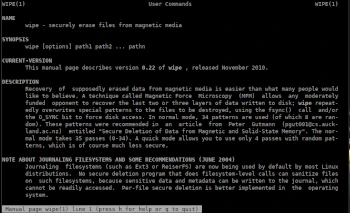
Wipe is used to securely delete files. Recovering supposedly deleted data from magnetic media is easier than many people would like to believe. A technique called magnetic force microscopy (MFM) allows any adversary with moderate funds to recover the last two or three layers of data stored on a disk. Wipe repeatedly writes special patterns to files to be destroyed, using the fsync() call and/or the O_SYNC bit to force access to the disk.
Wipe can permanently erase data from hard drives and flash drives (beware! Multiple writes can damage fixed media).
This program is useful for anti-forensics and security purposes.
The ‘wipe’ package is available for self-installation on most Linux distributions.
Syntax
wipe [options] file1 file2 /path/to/file3
Options
-f disable confirmation prompt
-r recursion to subdirectories
-c chmod if necessary
-i informational, with real-time results
-s silent mode
-q fast wipe
-Q
-a abort on error
-M select pseudorandom number generator algorithm
-l length
-o offset
-e use exact file size
-Z do not attempt to erase file sizes by repeatedly halving them
-F do not attempt to remove filenames
-k keep files: do not unlink files after overwriting them
-D dereference symlinks: by default, wipe will never follow symlinks
Examples
Clean every file and every directory (-r option) listed in /files/
wipe -rcf /home/user/files/
Wipe the entire hda3 partition of the root drive hda
This will be wiped in quick mode (-q option), i.e., with four random passes. The inode will not be changed or disconnected (-k option). You will be prompted to enter “yes” before starting.
wipe -kq /dev/hda3
Wipe Symbolic Links
Wipe never follows symbolic links unless explicitly instructed to do so. If you want to wipe /dev/floppy, which is a symbolic link to /dev/fd0u1440, you will need to enter the -D option. You will be prompted to enter “yes” before starting.
wipe -kqD /dev/floppy
Specify the Number of Bytes
Due to different operating system specifications, it is not always easy to determine the number of bytes a given device can hold (in fact, this number can vary). Therefore, you sometimes need to specify the number of bytes to wipe. This is done with the -l option. Additionally, you can use b, K, M, and G as multipliers, for 2^9 (512), 2^10 (1024 or Kilo), 2^20 (Mega), and 2^30 (Giga) bytes, respectively. You can even combine more than one multiplier. So, 1M416K = 1,474,560 bytes.
wipe -Kq -l 1440k /dev/fd0
For more information about the wipe program, use the following commands:
wipe -h
man wipe
