
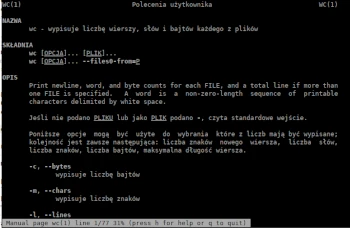
The next program in the Admin Tips series we’ll discuss today is wc.
wc – prints the number of lines, words, and bytes for each file.
For each FILE, the number of newlines, words, and bytes is printed, along with a summary if more than one FILE is specified. If FILE is not specified or is specified as -, the standard input is read. A word is a non-zero-length sequence of printable characters delimited by whitespace.
If FILE is not specified or is specified as -, the standard input is read.
wc is part of the GNU Coreutils package.
Options
The following options can be used to select counters, which are always listed in the following order: newline, number of words, characters, bytes, maximum line length. -c, –bytes prints the number of bytes
-m, –chars prints the number of characters
-l, –lines prints the number of newlines
–files0-from=FILE input files are FILE, separated by NULs. If FILE is -, the names are read from standard input
-L, –max-line-length prints the maximum screen width
-w, –words prints the number of words
Syntax
wc [OPTION] [FILE(S)]
Examples
For example, let’s use the text file my1.txt, which contains the following content:
Łódź
Warszawa Ochota
Poznań
Wrocław
Using wc:
wc my1.txt
makes the following output:
4 5 41 my1.txt
This command produces four-column output displaying the total number of lines, words, and characters in the file specified in the argument.
The -l option prints the number of lines in the file.
wc -l my1.txt
The -w option prints the number of words in the file(s). With this option, the wc command displays two-column output; the first column shows the number of words in the file, and the second is the file name.
wc -w my1.txt my2.txt
The -c option displays the number of bytes in the file.
wc -c my1.txt
Using the -m option displays the number of characters in the file.
wc -m my1.txt
The -L argument allows you to print the length of the longest line (number of characters) in the file. In this case, it will be ‘Warszawa Ochota’:
wc -L my1.txt
15 my1.txt
For more information about wc, use the following commands:
wc –help
man wc
