
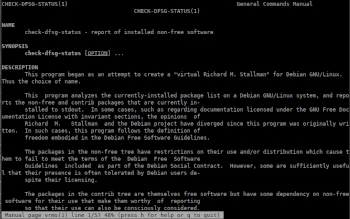
Another console-based program in the Admin Tips series is vrms.
vrms (Virtual Richard M. Stallman) is a program that analyzes the set of currently installed packages on a Debian-based system and reports all packages from the non-free tree that are currently installed. Software is placed in the non-free software tree when it has been agreed that Debian’s distribution will not be too problematic, but does not meet the Debian Free Software Guidelines and therefore cannot be included in its official distribution.
For each installed program from the ‘non-free’ and ‘contrib’ trees, vrms displays an explanation of why it is non-free, if available. This explanation is usually taken from a list contained in the vrms package itself, but other packages may also contain additional explanation lists.
Options
-q, –quiet Do nothing if no non-free packages are installed. -e, –explain Provide a short explanation of why each package is not free, if available.
-s, –sparse Simply list non-free packages.
–reason-dir=DIR Use DIR as the reason directory instead of /usr/share/check-dfsg-status/reasons/
-d, –debug Generate debugging information.
To display a complete list of installed non-free and contrib packages, use the command:
vrms
For more information about vrms, use the commands:
vrms -h
man vrms
