
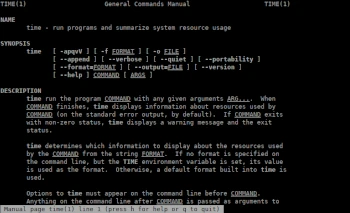
In the sixth installment of the Admin Tips series, we’ll explore a small console program called time.
In Linux, ‘time’ is used to execute a command and displays summaries of the real time, user CPU time, and system CPU time spent executing the command after it completes.
“Real” time is the elapsed time on the clock that the command executes.
“User” and “sys” time are the number of CPU seconds the command uses in user and kernel mode, respectively.
So, the ‘time’ command launches another program and then displays information about the resources used by that program, gathered during its execution. You can choose which information to collect and in what format to display it, or you can have ‘time’ save this information to a file instead of displaying it on the screen.
Syntax:
time [option] [COMMAND]
Example 1
time top
Result:
real 0m2.168s
user 0m0.009s
sys 0m0.013s
Example 2
The ‘-p’ option prints the time in POSIX format.
time -p top
Result:
real 1.88
user 0.01
sys 0.00
The ‘time’ command is a good option if you want to check the startup time of “large” and “heavy” applications, larger than the example ‘top’, such as a web browser, office suite, etc.
First run of Seamonkey:
time -p seamonkey
gives the result:
real 22.30
user 6.55
sys 0.63
but the second run is naturally faster:
real 6.27
user 4.01
sys 0.48
For detailed information about the program, use the following commands:
time –help
man time
