
In the fifth post of the Admin Tips series, we’ll explore the sed program.
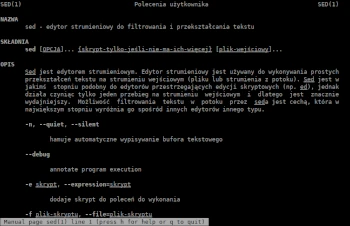
Sed is a text filtering/transforming editor. The sed program reads data from specified files or from standard input if no files are specified, makes edits according to a list of commands, and writes the results to standard output.
The SED command stands for Stream Editor and can perform many file functions, such as searching, finding and replacing, inserting, or deleting. Using SED, you can edit files without even opening them, which is a much faster way to find and replace something in a file than first opening the file in a text editor and then editing it.
Syntax:
sed OPTIONS… [SCRIPT] [INPUT FILE…]
Options:
-n, –quiet, –silent : Suppress automatic pattern space printing
-e script, –expression=script : Append the script ‘script’ to the commands to be executed
-f script-file : Append the contents of the file ‘script-file’ to the commands to be executed
–follow-symlinks : Follow symbolic links during in-place processing
-r, –regexp-extended : Use extended regular expressions in the script
-s, –separate : Treat files as separate rather than as a single, continuous, long stream
-u, –unbuffered : Load minimal data from input files and flush output buffers more frequently
Examples
Phrase Replacement
The Sed command is most often used to replace text in a file. The following command replaces the word “unix” with “linux” in the file my.txt.
sed ‘s/unix/linux/’ my.txt
To replace every other word in the line “unix” with “linux,” use the “2” flag.
sed ‘s/unix/linux/2’ my.txt
The /g (global replacement) replacement flag specifies a command to replace all occurrences of a string on a line.
sed ‘s/unix/linux/g’ my.txt
Put the first character of each word in parentheses.
This example prints the first character of each word (capitalized) in parentheses.
echo “Your Text Is Great” | sed ‘s/\(\b[A-Z]\)/\(\1\)/g’
which produces the following output:
Your (T)ext is (S)uper
Duplicating a replaced line
The /p print flag prints the replaced line twice on the terminal. If the line has no search pattern and is not being replaced, /p prints the line only once.
sed ‘s/unix/linux/p’ my.txt
Removing a line from a file
The SED command can also be used to remove lines from a specified file.
To delete line 5:
sed ‘5d’ my.txt
To delete the last line:
sed ‘$d’ my.txt
To delete a line from x to y, e.g., from lines 3 to 5:
sed ‘3,5d’ my.txt
To delete lines 5 to the last:
sed ‘5,$d’ my.txt
To delete a pattern-matching line that contains the word Pawel:
sed ‘/Pawel/d’ my.txt
Display the first line
sed -n ‘1p’ my.txt
Display all lines from the 3rd to the end of the file
sed -n ‘3,$p’ my.txt
Display the number of lines containing the UNIX expression
sed -n ‘/UNIX/=’ my.txt
For more information about sed, visit commands:
sed -h
man sed
