
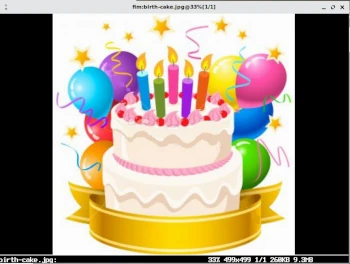
In today’s Admin Tips post, I’ll try to introduce FIM.
FIM (Fbi IMproved) is a framebuffer image viewer for Linux. The program uses the system’s framebuffer to display images directly from the command line. By default, it displays images in the following formats: JPEG, PNG, GIF, BMP, TIFF, PPM, PGM, PBM, and PCX. For “XCF” (Gimp) images, FIM will try to use ‘xcftopnm’. For vector images ‘.FIG’, FIM will try to use ‘fig2dev’, and for vector images ‘.DIA’, FIM will try to use ‘dia’. For vector images ‘.SVG’, FIM will try to use ‘inkscape’. For other formats, FIM will try to use the ImageMagick executable ‘convert’.
The FIM tool is very lightweight compared to most GUI image viewers.
FIM operates via the keyboard and has no user menu or buttons.
The ‘fim’ package is not installed by default in most Linux distributions, but can be installed using a package manager.
Syntax
fim options — imagefile1 imagefile2
Selected options
— Arguments before — starting with — will be treated as command-line options. All arguments after — will be treated as filenames independently.
-a Enable automatic zooming.
-b Display the contents of binary files as they were raw 24-bit or 1-bit pixel maps.
–as-text Display the contents of files (of any type) as if they were text.
-c The command string will be executed before entering the interactive loop.
-d Use the framebuffer device.
-i Reads a single image from standard input.
-m The video mode name to use. -o Uses the specified device as fim’s video output device, overriding automatic checking.
-P Enables text-reading mode.
–slideshow {number} Intermittent slideshow mode.
-t Fim will not use a framebuffer, but the aalib (ASCII graphics) driver instead.
-u Randomly shuffle the file list before viewing.
-w Scale the image to the screen width.
-H Scale the image to the screen height.
Examples
Automatically zoom
Display an image with the automatically zoom option using the -a option.
fim -a image.png
If you have multiple .png files in the current directory, you can use a wildcard to open them all.
fim -a *.png
Displaying from a Directory
To display all image files in a selected directory, e.g., Images:
fim Images/
You can also open images recursively within a folder and its subfolder, and then sort the list.
fim -R Images/ –sort
Rendering
To render an image in ASCII format, you can use the -t flag.
fim -t image.png
Help options are available via the following commands:
fim -h
man fim
