
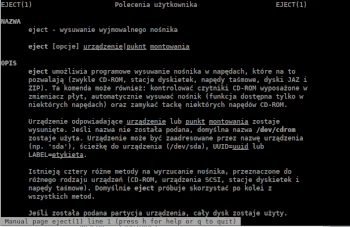
In the next, tenth tutorial of the Admin Tips series, we’ll take a closer look at the eject program.
In UNIX/Linux operating systems, the eject command allows you to eject removable media (CD-ROM optical discs, floppy disks, tape drives, JAZ drives, ZIP drives, USB drives). The command can also control some multi-disc CD-ROM changers, the auto-eject feature supported by some devices, and close the disc tray of some CD-ROM drives.
If a device name is not specified, the default name /dev/cdrom is used. The device can be addressed by device name (e.g., ‘sda’), device path (/dev/sda), UUID=uuid, or LABEL=label.
There are four different methods for ejecting media, designed for different types of devices (CD-ROMs, SCSI devices, floppy drives, and tape drives). By default, eject attempts to use all methods in sequence. If a device partition is specified, the entire disk is used.
If the device or partition is currently mounted, it is unmounted before ejecting. Ejecting is performed on the selected open block device if the –no-unmount or –force arguments are not specified.
The eject package is available/installed in most Linux distributions.
Syntax
eject [options] device|mountpoint
Selected options
-a Controls the automatic eject mode supported by some devices.
-c Use this option to select a disc in an ATAPI/IDE CD-ROM drive with a changer.
-d Prints the default device name.
-F Forces eject; does not check the device type; does not open a locked device.
-f Attempts to eject the media using the floppy drive’s “eject” command.
-i Disables the hardware eject button. -M This option tells eject not to attempt to unmount other partitions on the partitioned device.
-m This option tells eject not to attempt to unmount at all.
-n This displays the name of the selected device.
-r This attempts to eject the media using the “eject” CDROM command.
-X This checks for available CD-ROM drive speeds.
-x This attempts to set the CD drive speed.
Examples
Eject the default device
eject
or
eject cdrom
or
eject /dev/cdrom
or
eject /mnt/cdrom/
Eject hdd/sda
eject hdd
or
eject sda
Adding the -v option allows you to view the eject attempts.
eject -v
Drive Speed
Pass the CD-ROM speed selection command to the drive with the -x option. The argument is a number indicating the desired speed (e.g., 3 for 3X speed) or 0 for maximum data transfer speed.
eject -v -x 0
Forcibly eject
If you have trouble unmounting the media before ejecting it, you can use the -f option to forcefully eject the media.
eject -F /dev/sr0
For help, enter the following in the console:
eject -h
man eject
