
In today’s Admin Tips tutorial, we’ll cover the deluser and delgroup programs.
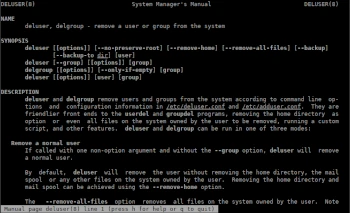
deluser and delgroup remove users and groups from the system based on command-line options and configuration information in /etc/deluser.conf and /etc/adduser.conf. They provide a more user-friendly interface for the userdel and groupdel programs, removing the user’s home directory or even all files on the system as an option.
The ‘adduser’ package provides four tools: adduser, addgroup, deluser, and delgroup; we’ll focus on the latter two.
‘deluser’ and ‘delgroup’ are part of the ‘adduser’ package, which we discussed in a previous post.
‘deluser’ removes users and groups, and removes users from a given group. ‘deluser’ can back up and delete users’ home directories and mail spoolers, or all files owned by them on the system.
Syntax
deluser [[options]] [–no-preserve-root] [–remove-home] [–remove-all-files] [–backup] [–backup-to dir] [user]
delgroup [[options]] [–only-if-empty] [group]
Options
-c file : Use file instead of the default /etc/deluser.conf and /etc/adduser.conf files.
–group : Delete the group. This is the default action if the program is invoked as delgroup.
–system : Delete only if the user/group is a system user/group. This avoids accidentally deleting non-system users/groups.
–only-if-empty : Delete only if there are no members left.
–backup : Back up all files contained in userhome and the mailspool file to a file named username.tar.bz2 or username.tar.gz.
–backup-to-dir : Place the backup files not in the current directory, but in a directory of your choice.
–removew-all-files : Remove all files from the system owned by this user.
Examples
Removing a Regular User
If ‘deluser’ is invoked with a single non-option argument and without the –group option, deluser will remove a regular user.
By default, deluser will remove the user without removing the home directory, mailspool, or any other files on the user’s system.
–remove-all-files removes all files from the system owned by the user.
deluser –remove-all-files pawel
If you want to back up all files before deleting them, you can enable the –backup option, which will create the file username.tar(.gz|.bz2) in the directory specified by the –backup-to option (defaults to the current working directory).
Removing a Group
If deluser is invoked with the –group or delgroup option, the group will be removed, but the primary group of an existing user cannot be removed.
deluser –group pawel
If the –only-if-empty option is specified, the group will not be removed if any members remain in it.
Removing a User from a Specified Group
If deluser is invoked with two non-option arguments, deluser will remove the user from the specified group.
deluser and delgroup require root privileges.
For more information about deluser and delgroup, use the following commands:
sudo delsuer -h
man deluser
