
In today’s Admin Tips post, we’ll be covering curl.
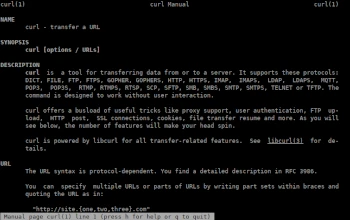
curl is a console-based tool for transferring data to or from a server.
It supports the following protocols: DICT, FILE, FTP, FTPS, GOPHER, GOPHERS, HTTP, HTTPS, IMAP, IMAPS, LDAP, LDAPS, MQTT, POP3, POP3S, RTMP, RTMPS, RTSP, SCP, SFTP, SMB, SMBS, SMTP, SMTPS, TELNET, or TFTP. The curl command is designed to work without user interaction.
curl offers a wealth of useful tricks, such as proxy support, user authentication, FTP uploads, HTTP mail, SSL connections, cookies, file transfer resumption, and more.
curl will do its best to use whatever you pass to it as a URL. It doesn’t attempt to validate URL syntax in any way, but is quite liberal with what it accepts.
curl will attempt to reuse connections for multiple file transfers, so retrieving multiple files from the same server doesn’t require multiple connections, which ultimately improves speed. This only happens on files specified on a single command line and cannot be used between separate curl calls.
Syntax
curl [options/URL]
Selected Options
–anyauthor : (HTTP) Tells curl to invent its own authentication method and use the most secure one that the remote site claims to support.
-a : (FTP SFTP) When used during transfer, causes curl to append to the target file instead of overwriting it.
–basic : (HTTP) Tells curl to use HTTP basic authentication with the remote host. –cert-status : (TLS) Instructs curl to verify the server certificate status using the TLS certificate status request extension.
–cert-type
-E, –cert
-K, –config
–connect-timeout
-C, –continue-w
–create-dirs : When combined with the –output option, curl will create the necessary local directory hierarchy if necessary.
-d, –data : (HTTP MQTT) Send the specified data in a POST request to the HTTP server, the same way a browser does when a user fills out an HTML form and presses the submit button.
-f, –fail : (HTTP) Fail without any server error output.
-G, –get : When used, this option causes any data specified with the -d, –data, –data-binary, or –data-urlencode options to be used in the HTTP GET request instead of the POST request that would otherwise be used.
-I, –head : (FTP FILE) Download only the headers.
-H, –header header/@file : (HTTP) Additional header to include in the request when sending HTTP to the server.
-i, –include : Include HTTP response headers in the output.
-k, –insecure : (TLS SFTP SCP) By default, every secure curl connection is verified as secure before starting the transfer.
-4, –ipv4 : This option tells curl to use only IPv4 addresses, not, for example, IPv6.
-key
–krb
-l, –list-only : (FTP POP3) (FTP) When listing an FTP directory, this switch forces only the view name to be specified.
–login-options options : (IMAP LDAP POP3 SMTP) Specify the login options used when authenticating the server.
–mail-auth address : (SMTP) Specify a single address.
–mail-from address : (SMTP) Specify a single address from which to send mail.
–noproxy no-proxy-list : A comma-separated list of hosts for which to avoid using a proxy server if one is specified.
–output-dir directory : This option specifies the directory where files should be stored when –remote-name or –output are used.
-#, –progess-bar : Make curl display transfer progress a simple progress bar instead of the standard, more informative meter.
-x, –proxy [protocol://]host[:port] : Use the specified proxy server. The proxy string can be specified with the protocol:// prefix.
–pubkey
-X, –request method : (HTTP) Specifies a custom request method to use when communicating with the HTTP server.
–retry
-Y, –speed-limit speed : If the transfer is slower than the specified speed (in bytes per second) for the time speed in seconds, it is aborted.
Examples
Download an HTML page
curl https://www.gnu.org/gnu/gnu.html
Save the downloaded file with a different name
curl https://www.gnu.org/gnu/gnu.html -o page.html
Download a file from the server using an IPv6 address
curl -6 https://www.gnu.org/gnu/gnu.html
Save the downloaded file to a directory of your choice
curl https://www.gnu.org/gnu/gnu.html > /home/pawel/private/gnu.html
For more information about curl, use the following commands:
curl -h
man curl
