
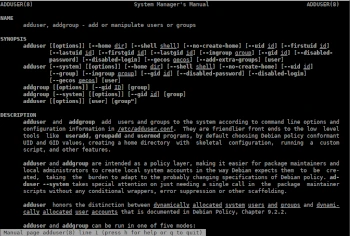
In this twentieth post in the Admin Tips series, we’ll cover adduser and addgroup.
The ‘adduser’ package (in Debian and Ubuntu) provides four tools: adduser, addgroup, deluser, and delgroup. We’ll cover the first two.
‘adduser’ creates new users and groups and adds existing users to an existing group.
Adding users with ‘adduser’ is much easier than adding them manually. ‘Adduser’ will select UID and GID values, create a home directory, copy the default user configuration, and automate setting the initial values for the user’s password, real name, and so on.
‘adduser’ is intended for use by the local administrator instead of the tools in the ‘useradd’ package.
OPTIONS
-c file : Use file instead of /etc/adduser.conf.
–disabled-login : Do not run passwd to set the password. The user will not be able to use their account until they set a password.
–disabled-password : Like –disabled-login, but login is still possible (for example, using SSH keys), but not with a password.
–allow-badname : By default, user and group names are checked against the configurable regular expressions NAME_REGEX and SYS_NAME_REGEX specified in the configuration file.
–allo-all-names : Skip the weak name check used with –allow-badname. This will allow any username supported by the underlying userradd, including names containing non-ASCII characters.
–gid ID : When creating a group, this option sets the new group ID to the GID. When creating a user, this option sets the new user’s primary group ID to the GID.
–ingroup GROUP : When creating a user, this option sets the new user’s primary group ID to the GID of GROUP. Unlike the –gid option, the group is specified by name, not by ID. The group must already exist.
–group : When combined with –system, a group is created with the same name and ID as the system user. If not combined with –system, a group with the specified name is created. This is the default action when the program is invoked as addgroup.
–home dir : Use dir as the user’s home directory, rather than the default specified in the configuration file.
–shell shell : Use the shell as the user’s login shell, rather than the default specified in the configuration file.
–no-create-home : Do not create a home directory for the new user.
–uid ID : Force the new user ID to be the specified number.
–add-extra-groups : Add the new user to the additional groups defined in the configuration file.
Syntax:
adduser [[options]] [–home dir] [–shell shell] [–no-create-home] [–uid id] [user]
addgroup [[options]] [–gid ID] [group]
Examples
Add a system user
If ‘adduser’ is used with one non-option argument and the –system option, adduser will add a system user. If a user with the same nickname already exists in the system ID range, adduser will exit with a warning.
adduser will select the first available UID from the range defined for system users in the configuration file (FIRST_SYSTEM_UID and LAST_SYSTEM_UID). If you want a specific UID, you can specify it with the –uid option.
adduser pawel –system –uid 1001
By default, system users are placed in the ‘nogroup’ group. To place a new system user in an existing group, use the –gid or –ingroup options. To place a new system user in a new group with the same ID, use the –group option.
adduser pawel –group mygroup
The home directory must be specified using the –home option. If not specified, the default home directory for the new system user is /nonexistent. This directory should never exist on the system, and adduser will not create it automatically.
adduser pawel –home /home/mydir
The new system user will have the shell /usr/sbin/nologin (unless overridden with the –shell option).
adduser pawel –shell /bin/bash
Add a user’s group
If adduser is invoked with the –group option and without the –system option, or addgroup is invoked appropriately, a user group will be added.
The GID will be chosen from the range defined for system GIDs in the configuration file (FIRST_GID, LAST_GID). To bypass this mechanism, you can specify the GID using the –gid option.
The group is created without any users.
Add System Group
If addgroup is called with the –system option, a system group is dynamically assigned.
The GID is chosen from the range specified for system GIDs in the configuration file (FIRST_SYSTEM_GID, LAST_SYSTEM_GID).
The system group is created without users.
Add an existing user to an existing group
If called with two non-option arguments, adduser will add an existing user to an existing group.
adduser and addgroup require system administrator privileges.
You can get information about adduser and addgroup with the following commands:
sudo adduser -h
man adduser
